01
One number instead of six apps
Accounts in different banks, cash, deposits, metal, the flat, the car and the debts are counted together — in one currency of your choice out of 63.
Capventory is a net-worth journal for iPhone: you record what each thing is worth today and see your assets, debts, net worth and how they changed. No account, no bank connections, no subscription.
iPhone · iOS 18+ · 63 currencies · no subscription
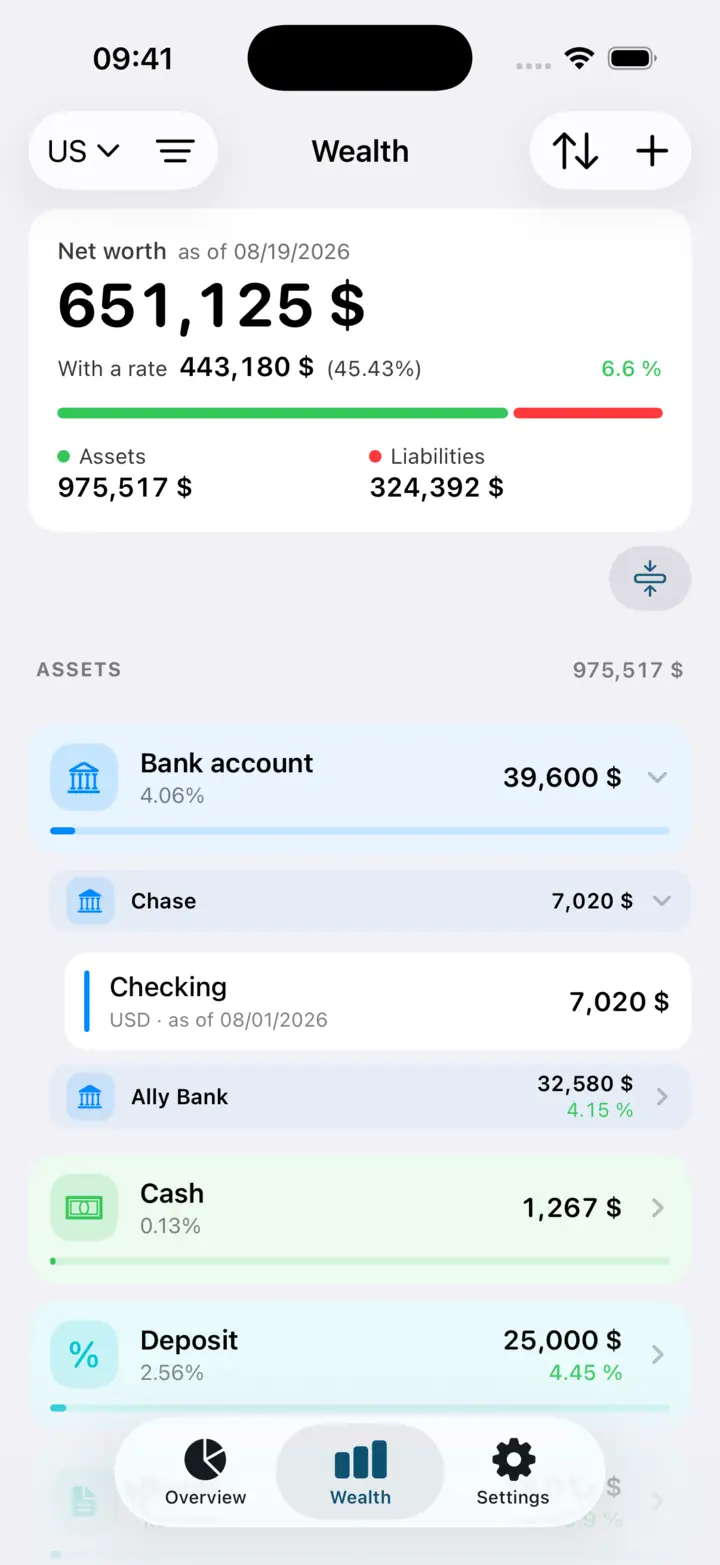
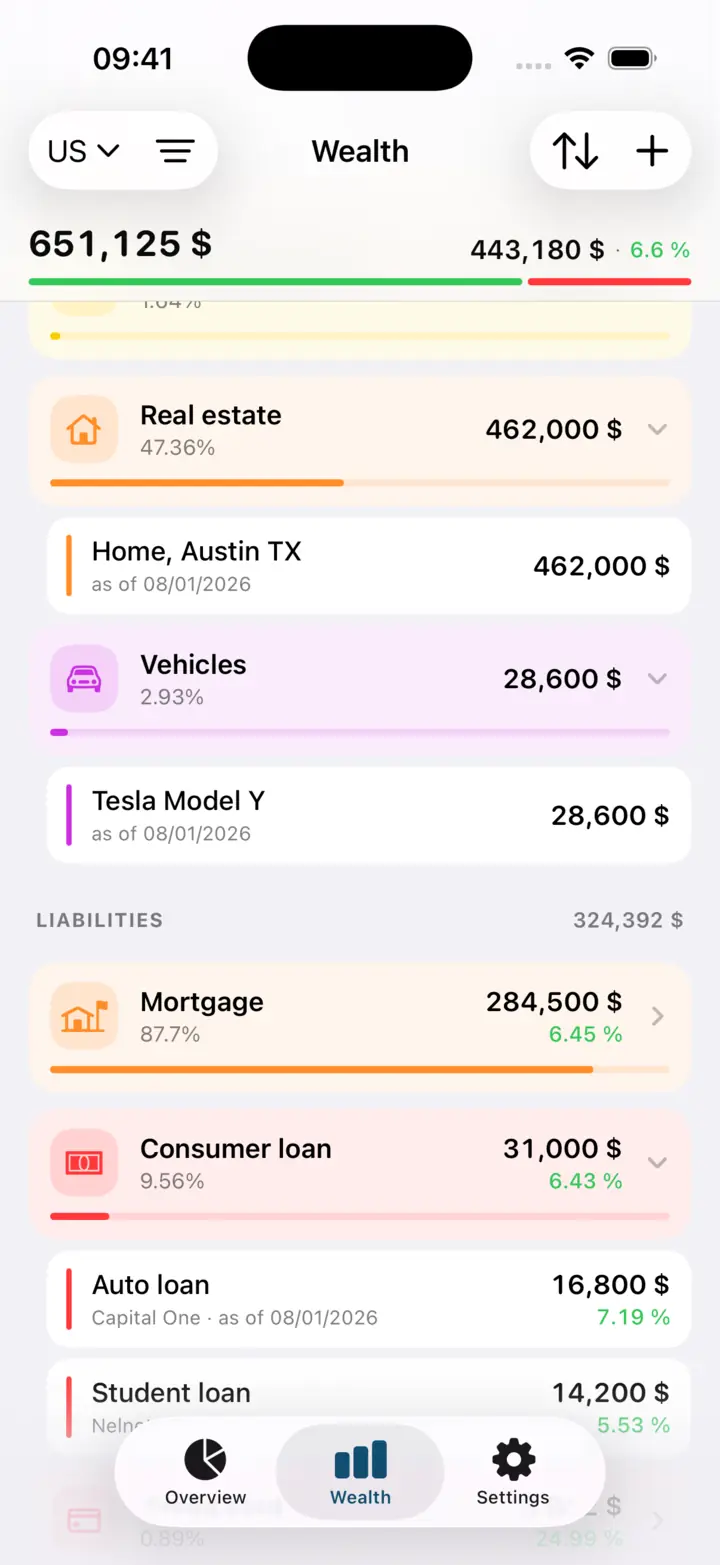
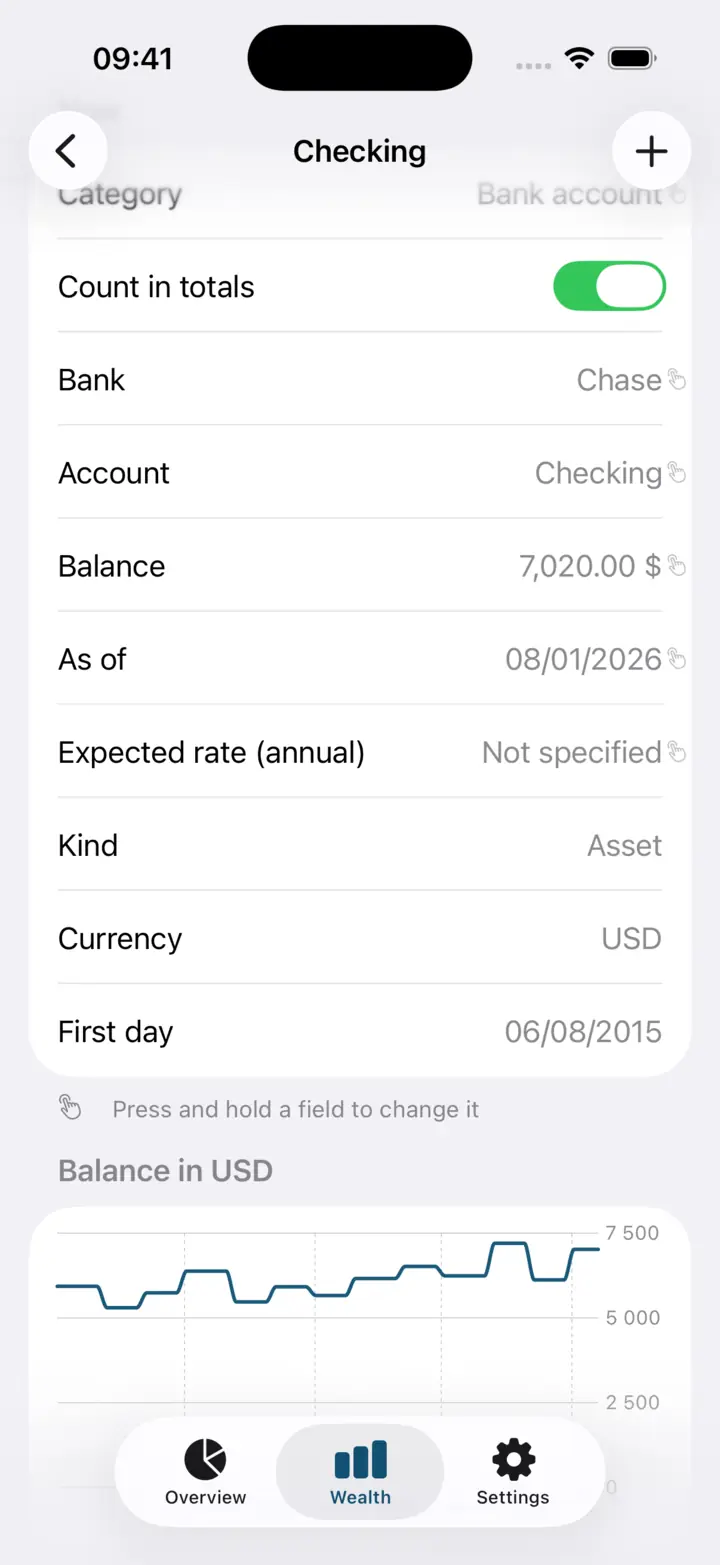
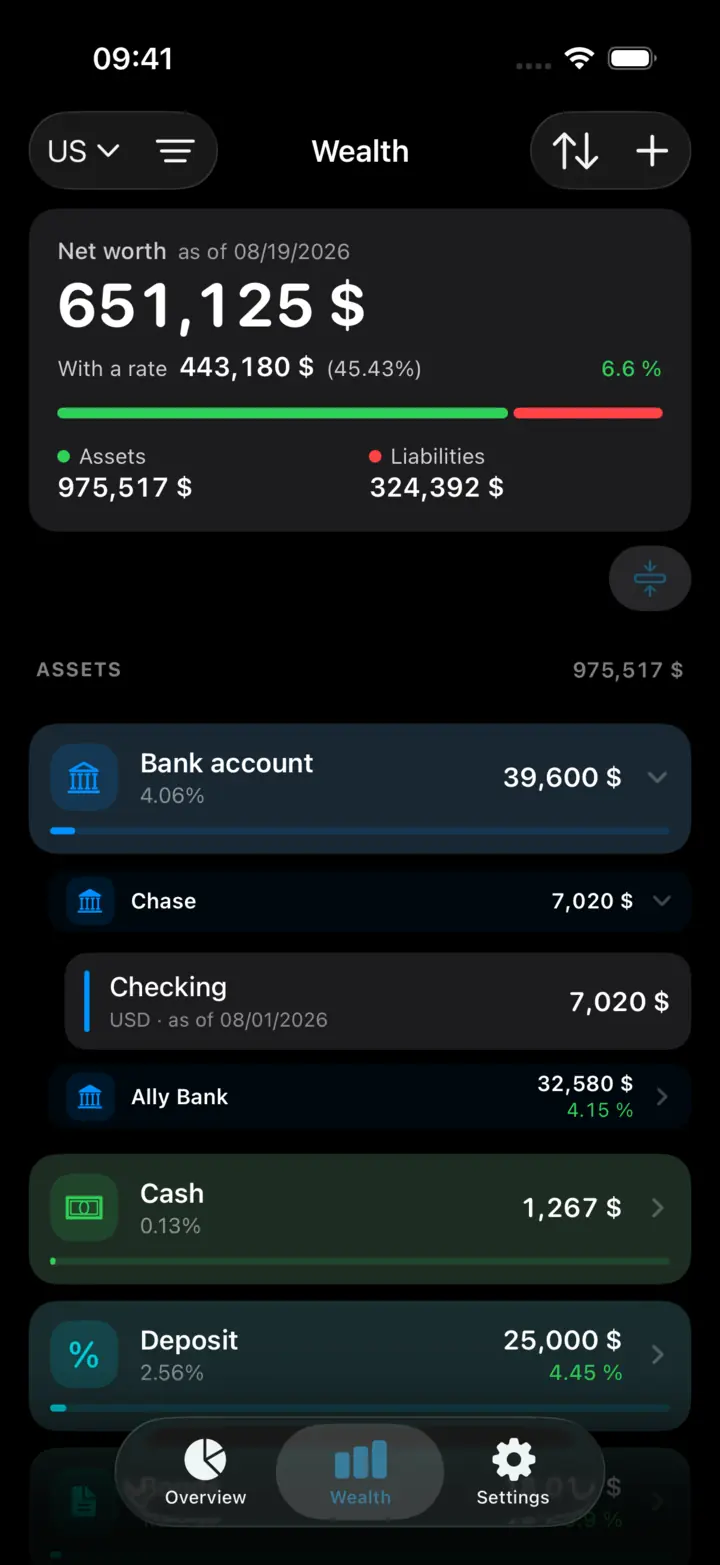
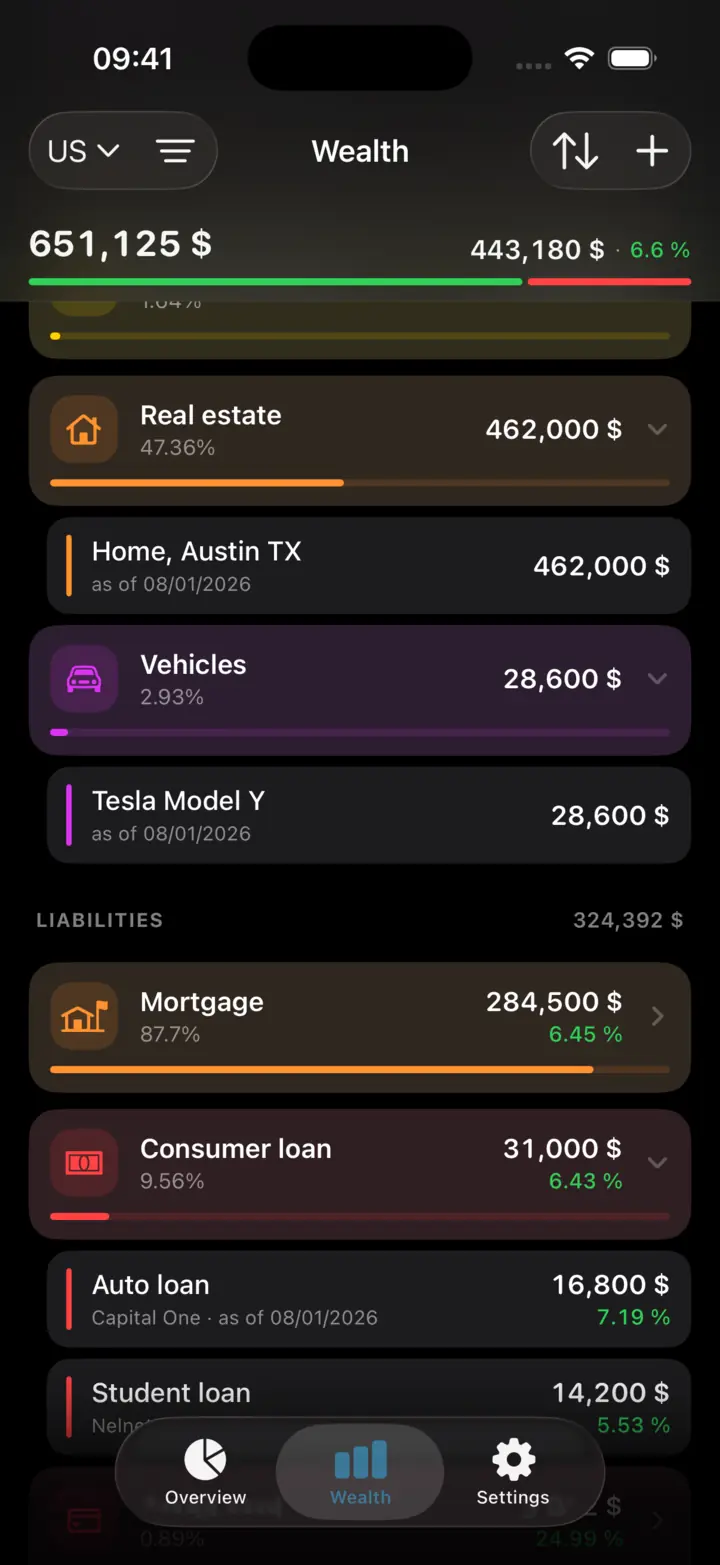
Assets, liabilities and net worth in one list — with totals per category and a way down to the individual position.
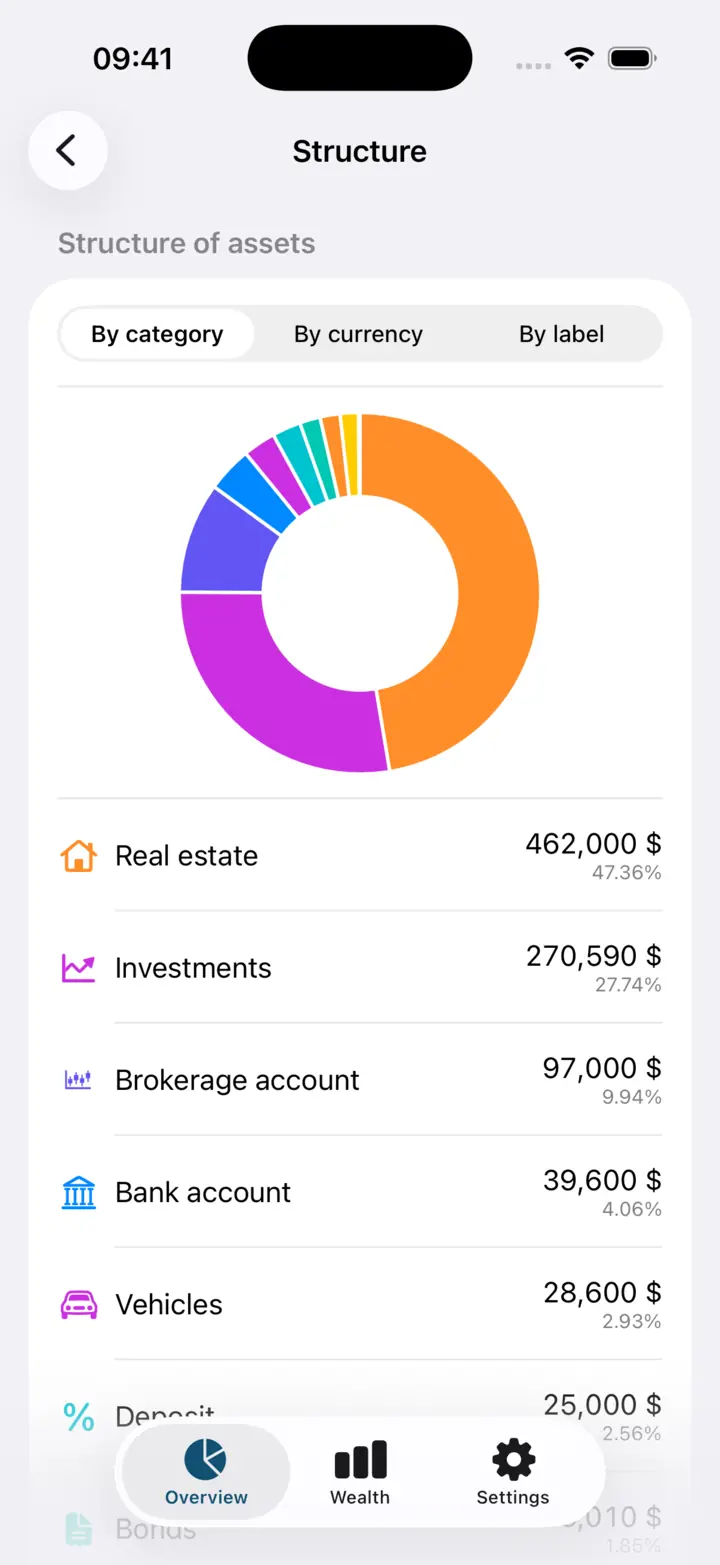
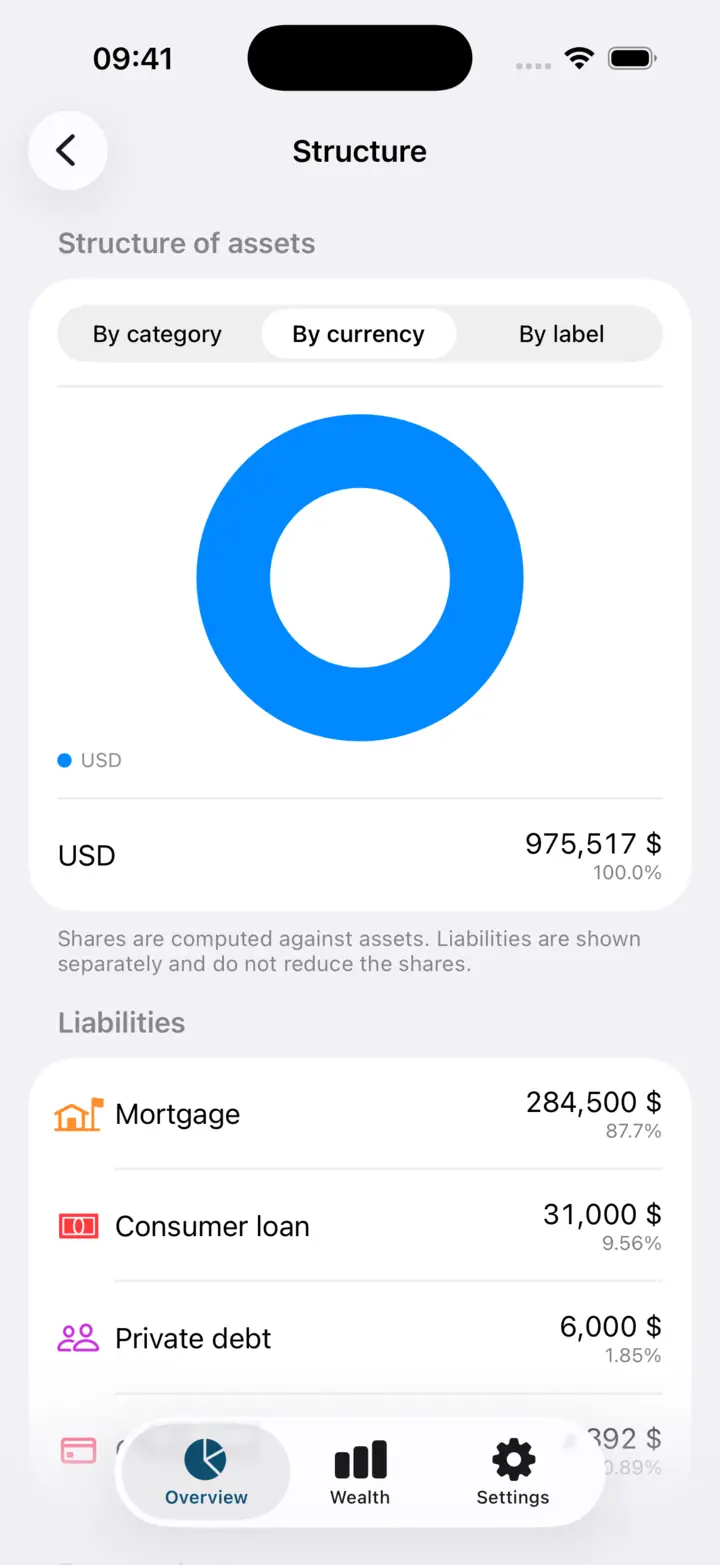
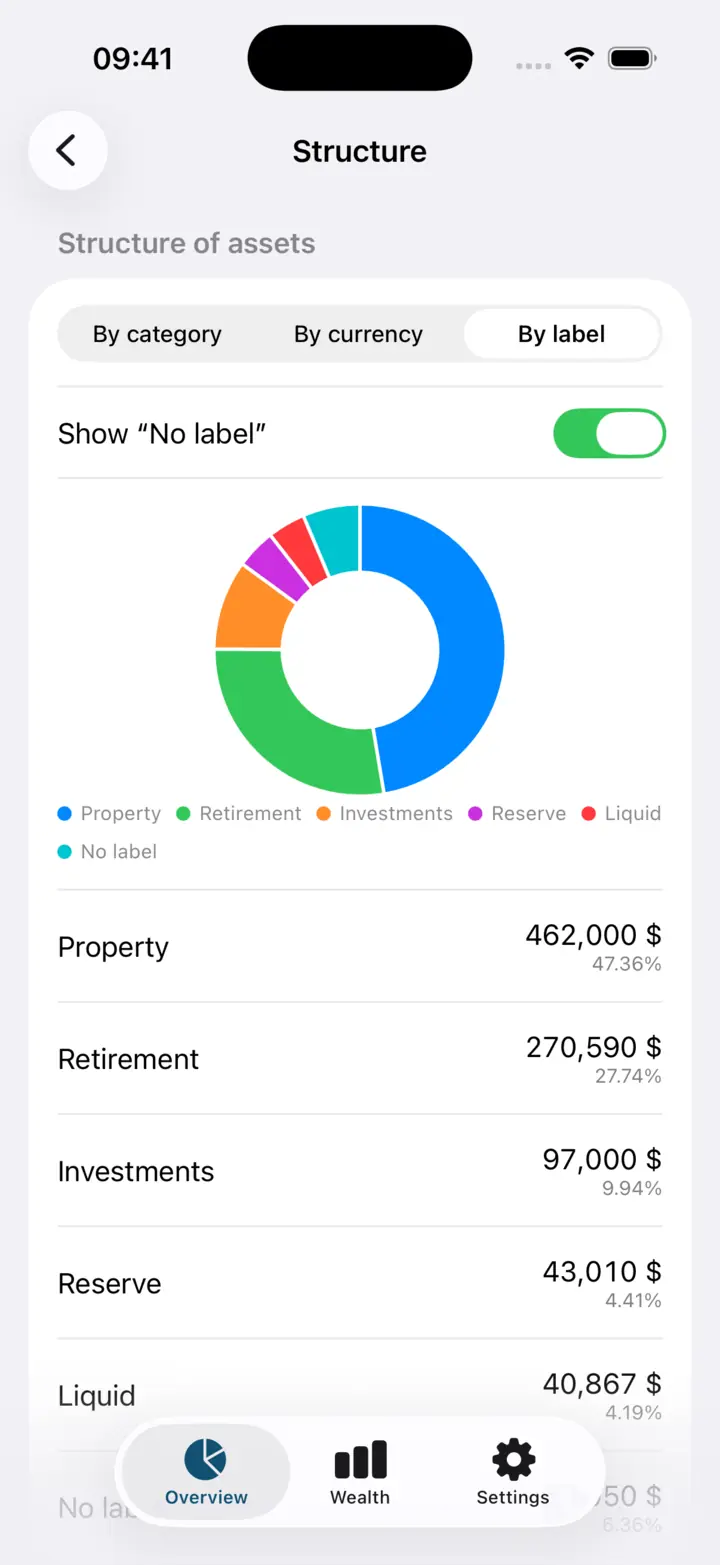
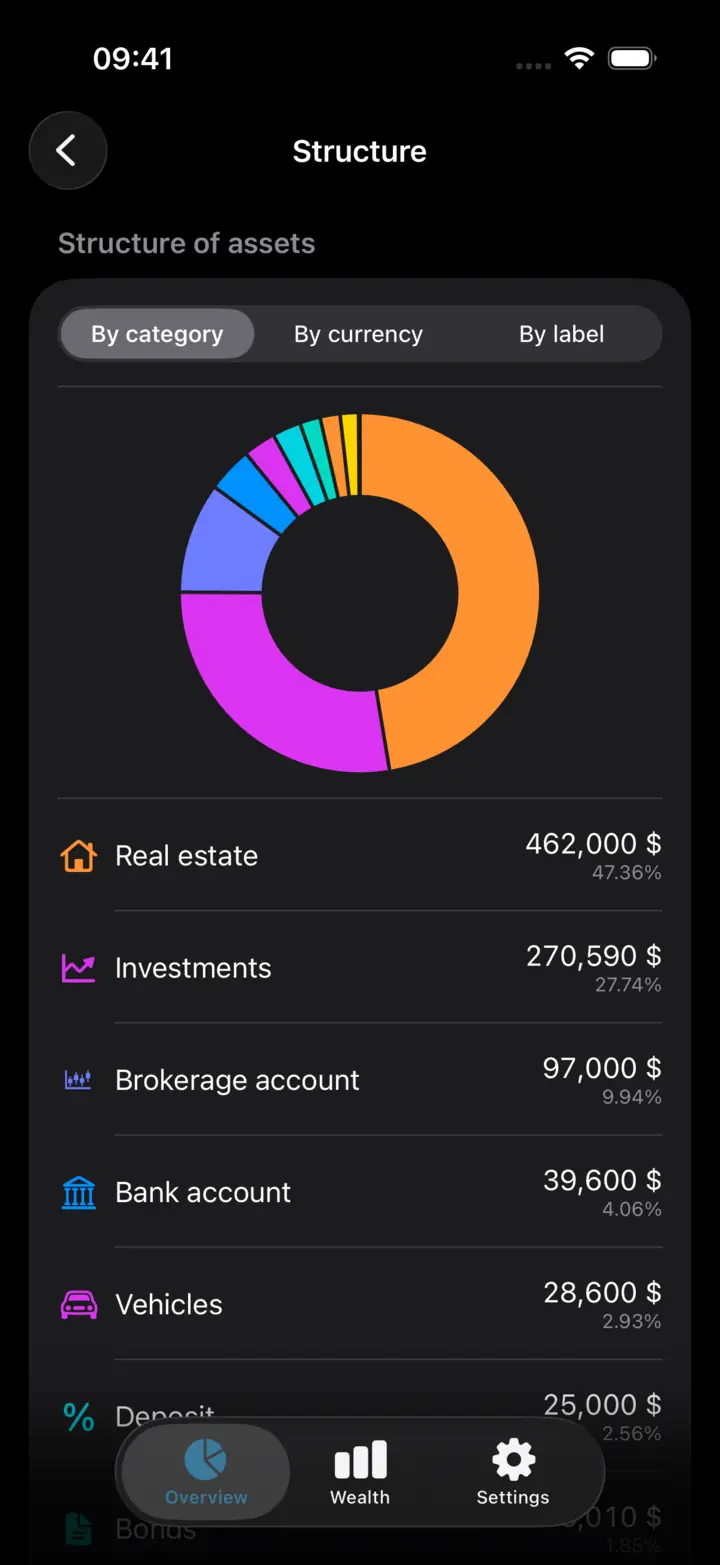
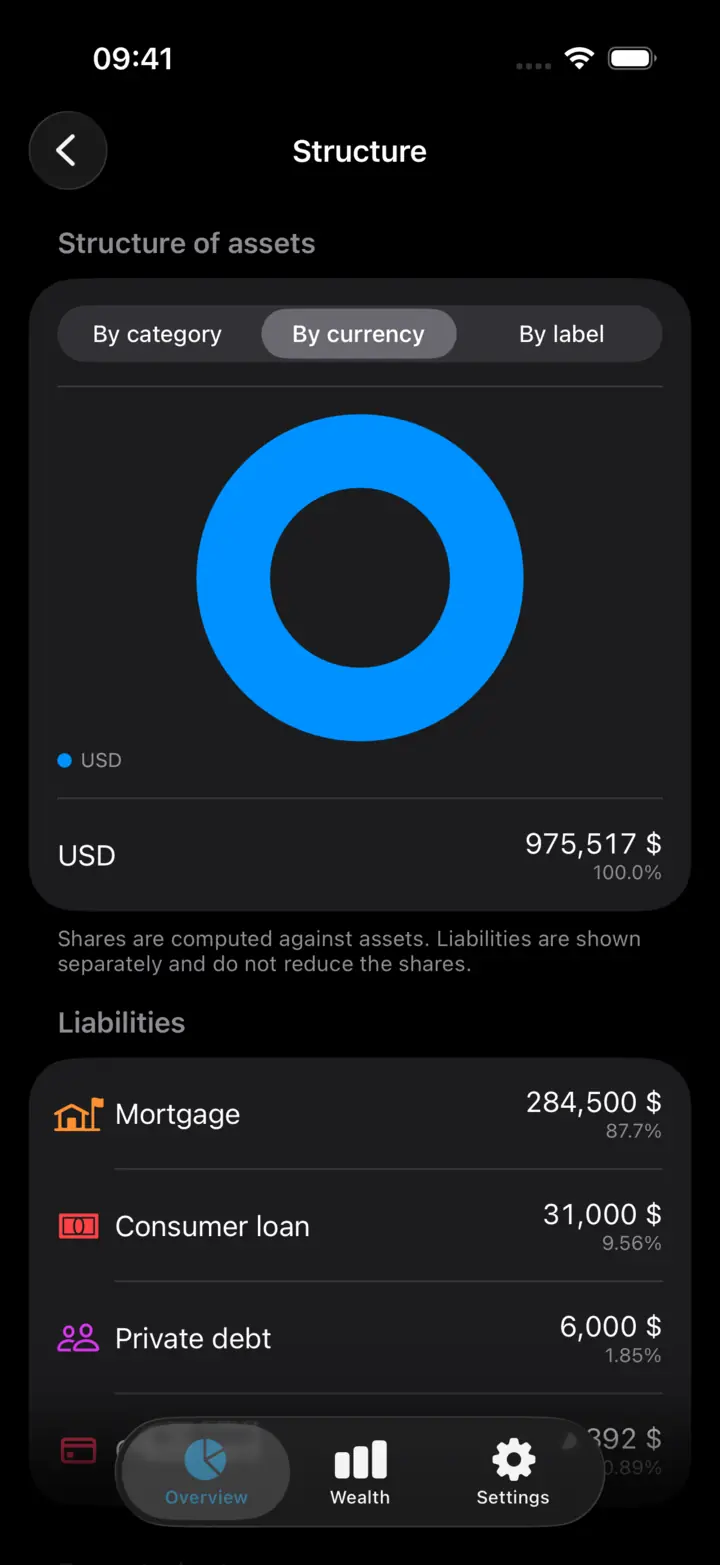
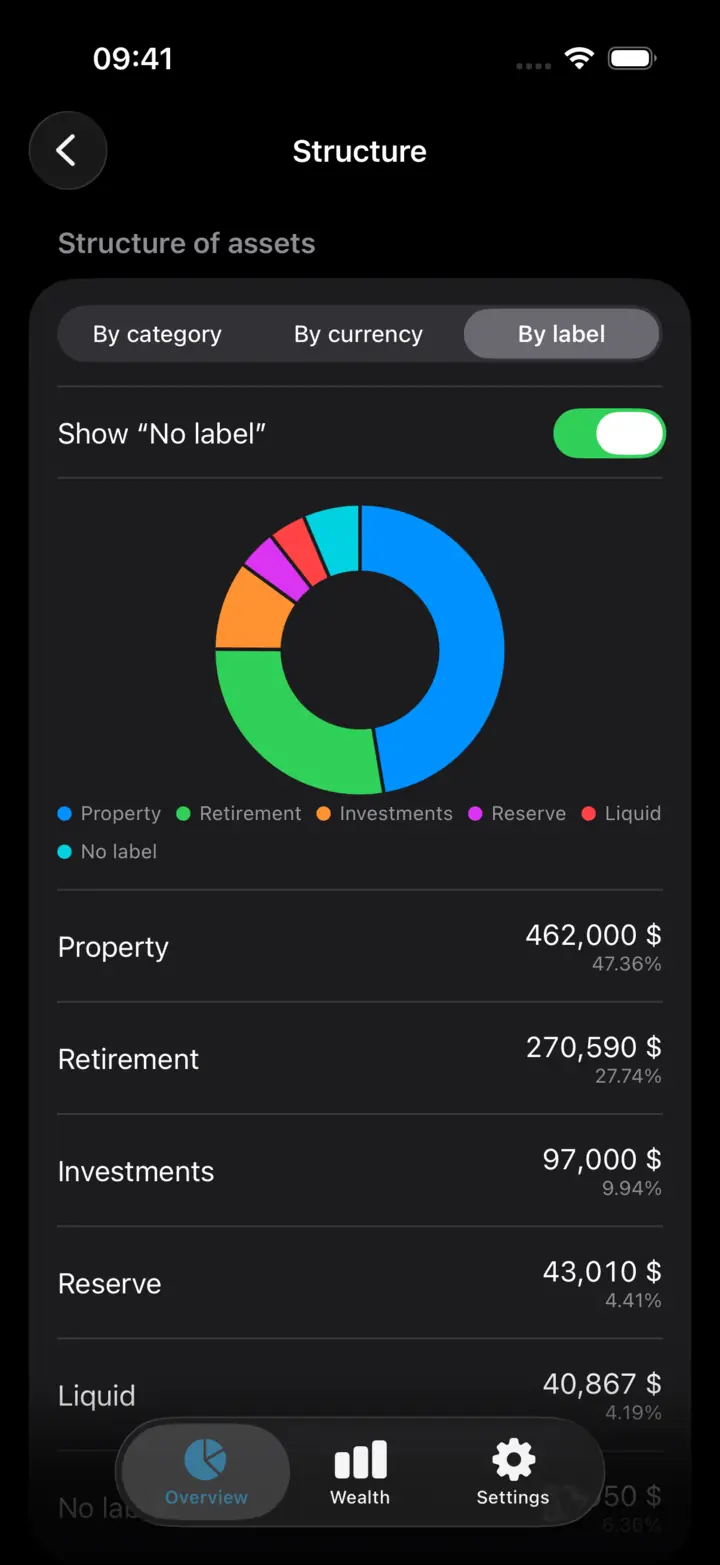
What the capital is made of: shares by category, by currency and by your own labels, next to expected yield and the cost of debt.
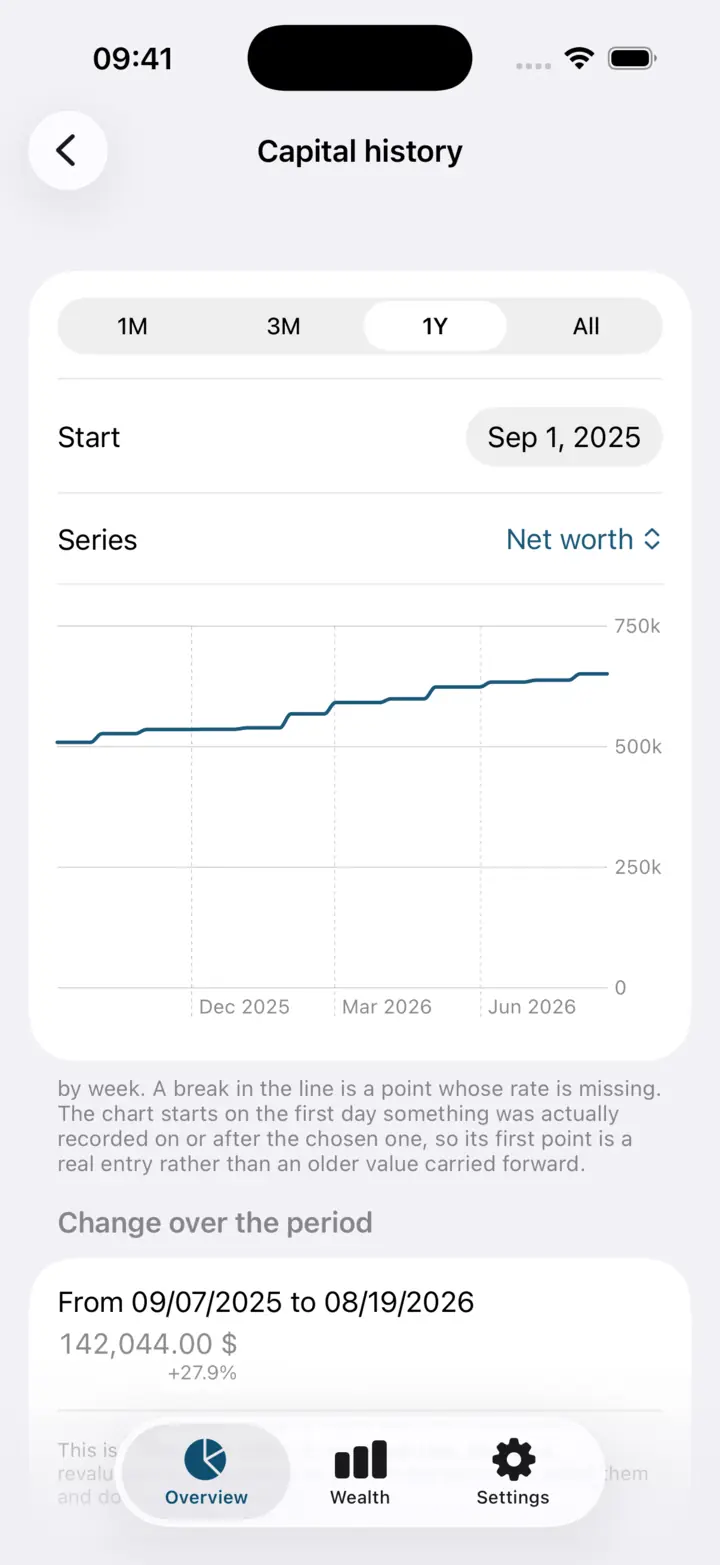
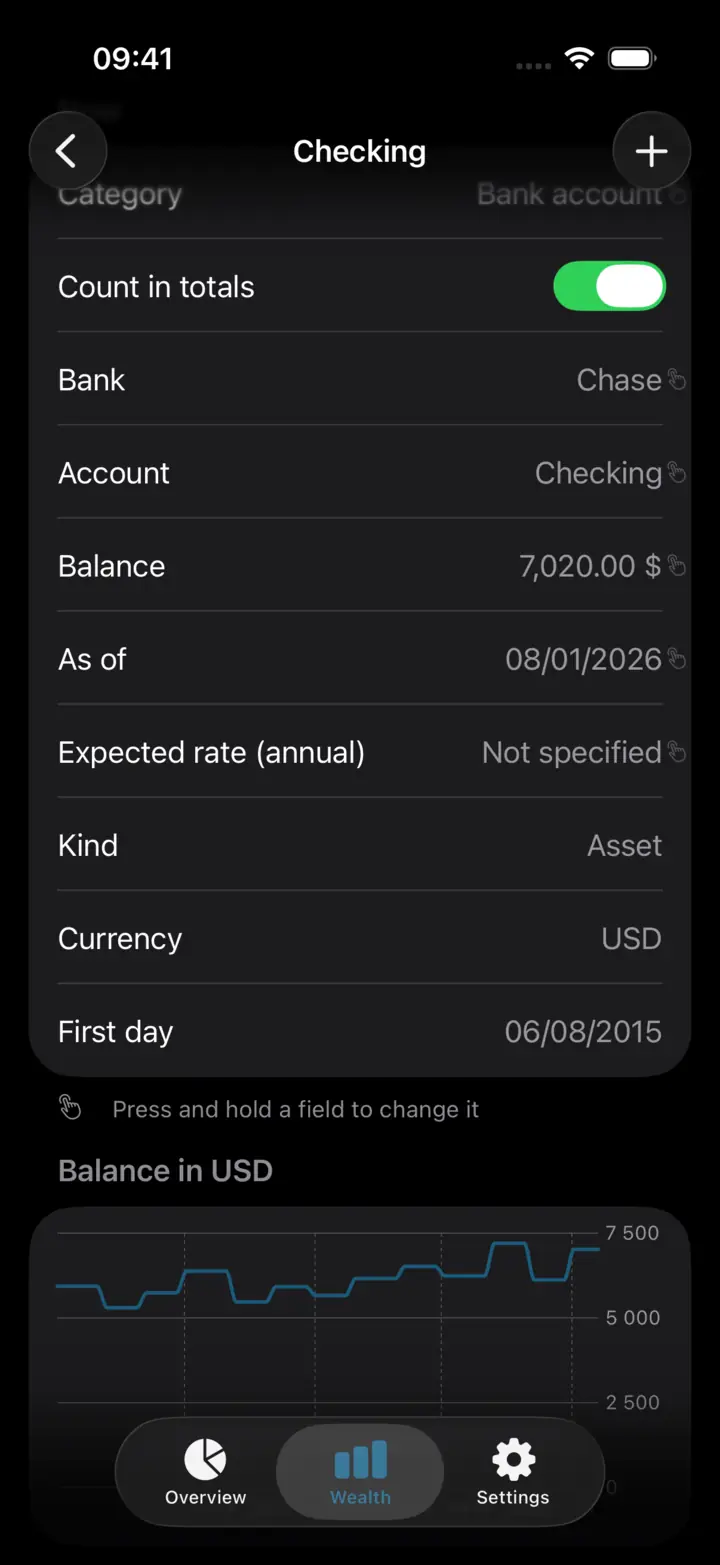
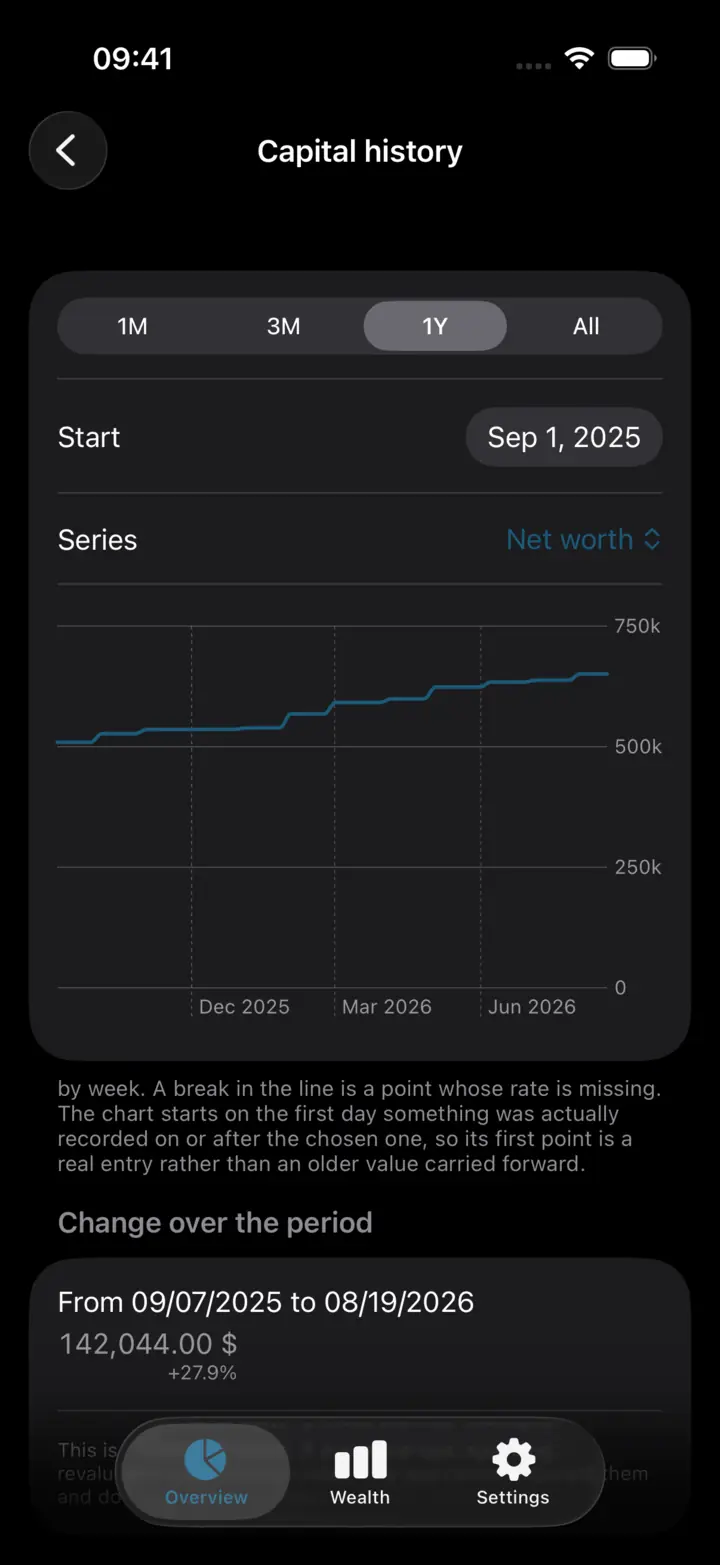
How the valuation moved between dates. The chart starts the day something was actually recorded and honestly breaks where there is no data.
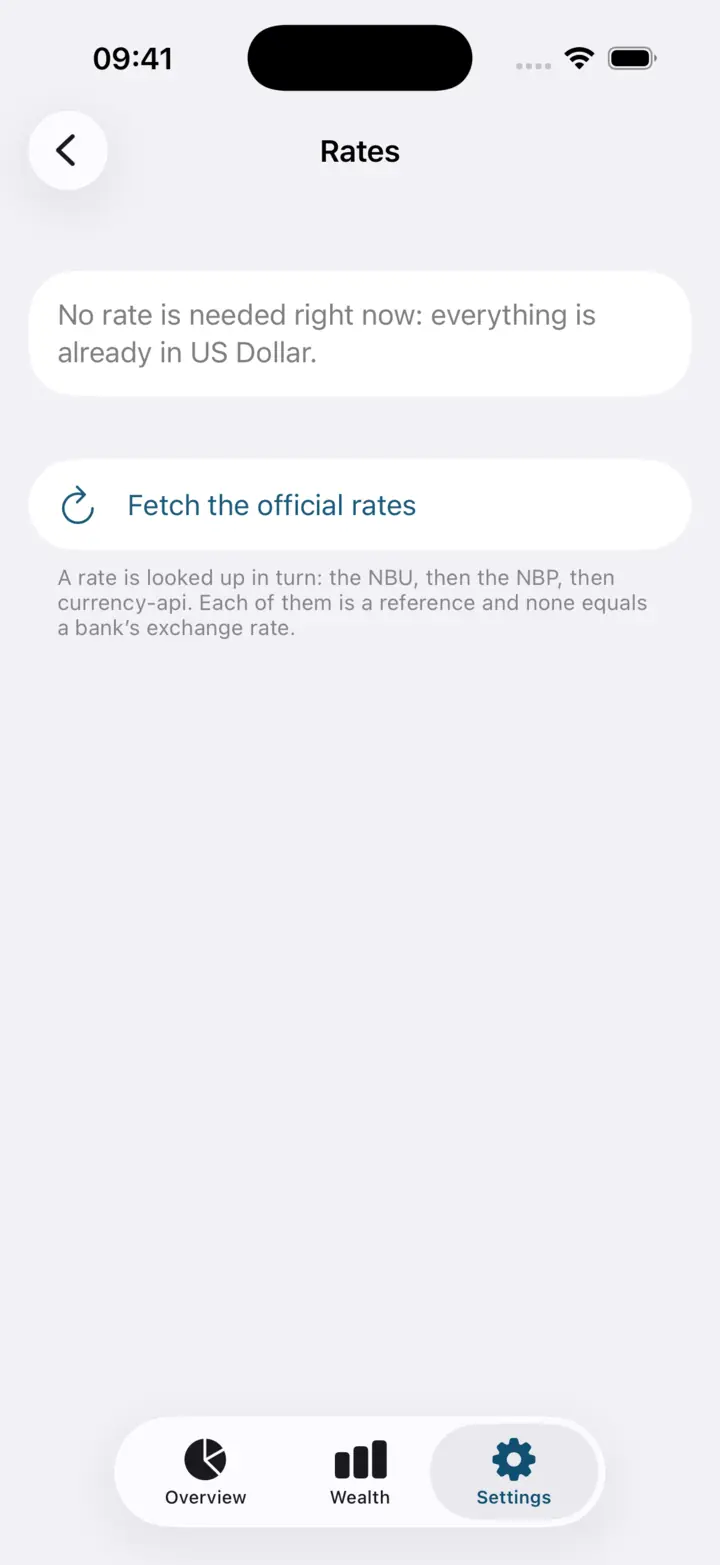
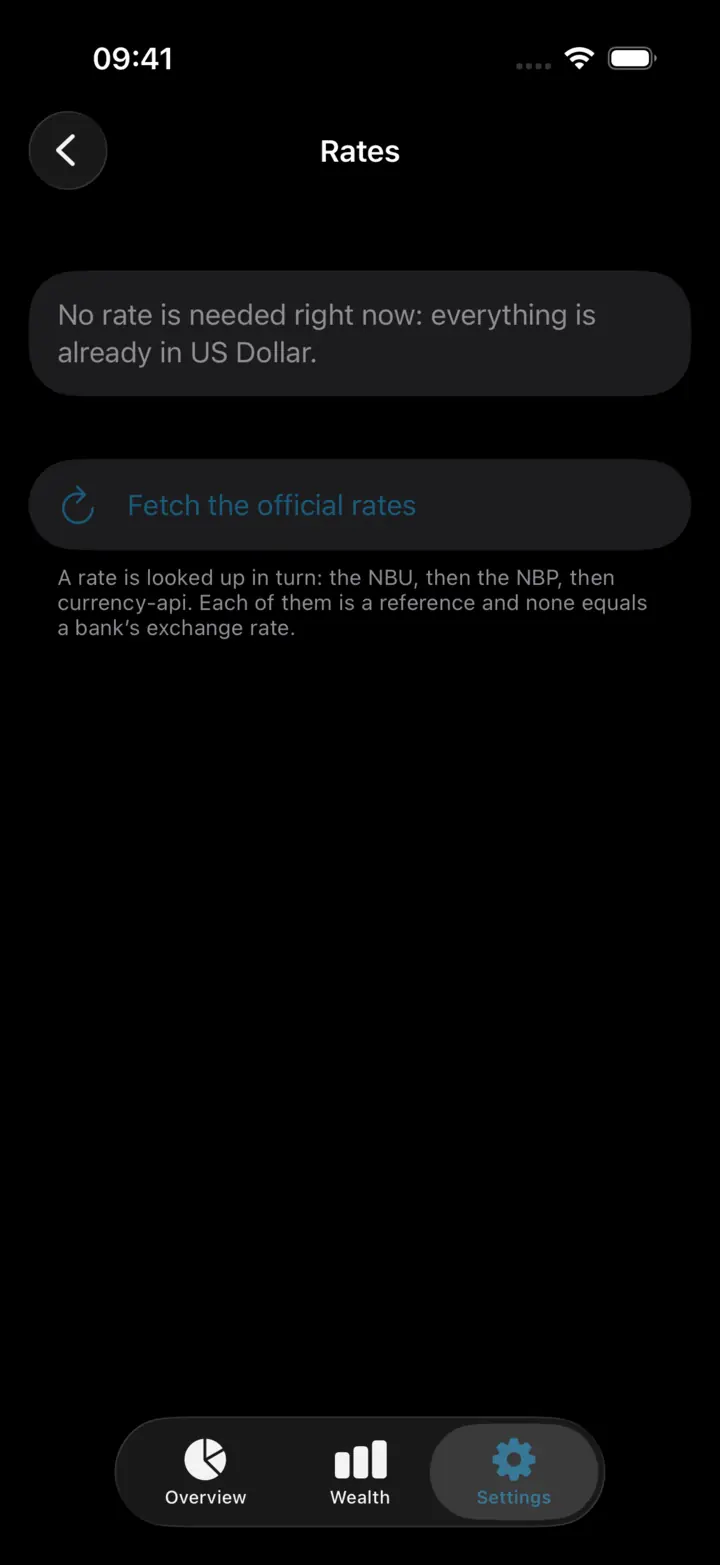
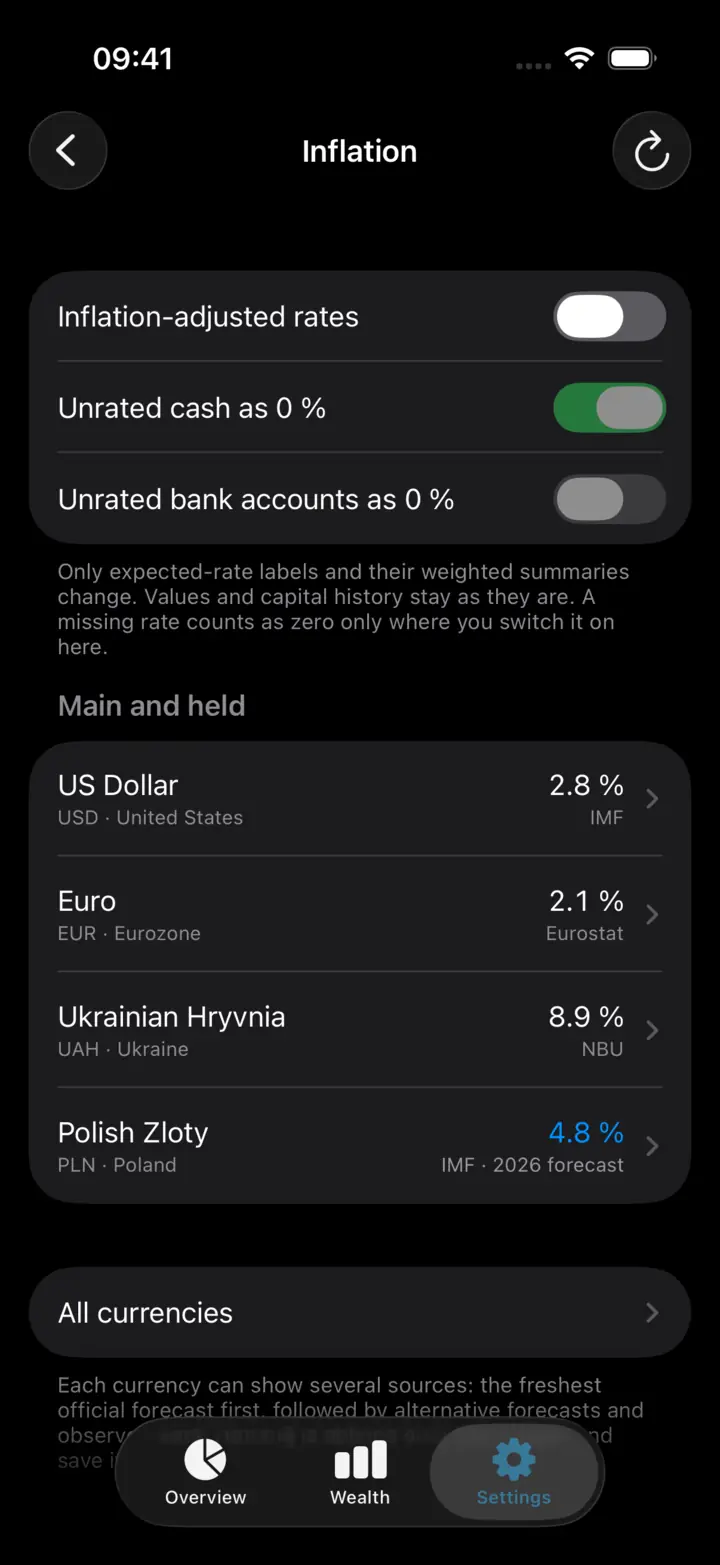
63 currencies at official rates for the date of the snapshot. If no source has the rate, the app asks you to type it in rather than guessing.
Why bother
01
Accounts in different banks, cash, deposits, metal, the flat, the car and the debts are counted together — in one currency of your choice out of 63.
02
You record the balance as of today rather than the transactions: several positions are updated under one date in a single pass, and the history is recomputed for you.
03
No account, no bank connections, no subscription. The only outgoing requests fetch an exchange rate, a metal price or an inflation hint — carrying no amounts and no position names.
Your next step
Two practical examples: money in different currencies and a spreadsheet that has become a chore.
A local bank account, savings in euros and cash in dollars: see how to bring them together and track their value over time.
Explore this guideWhen updating a spreadsheet becomes a chore: dated balances, history and export without maintaining your own formulas.
Explore this guideFeatures
No transactions, no formulas. You write down how much there is now — everything else is recomputed from your own numbers each time.
Input
Several positions on a single screen. Saving again corrects the point instead of adding a second one.
Composition
From accounts and cash to metal, property, vehicles, loans and mortgages. Assets and debts are kept arithmetically apart.
Currencies
A rate is fetched from official public sources and stored with its source and publication date. If no rate exists, the total is honestly marked partial rather than propped up with yesterday’s.
History
The history of your capital and of every position is rebuilt from the snapshots, and any point on the chart opens up into the positions it was made of.
Rates
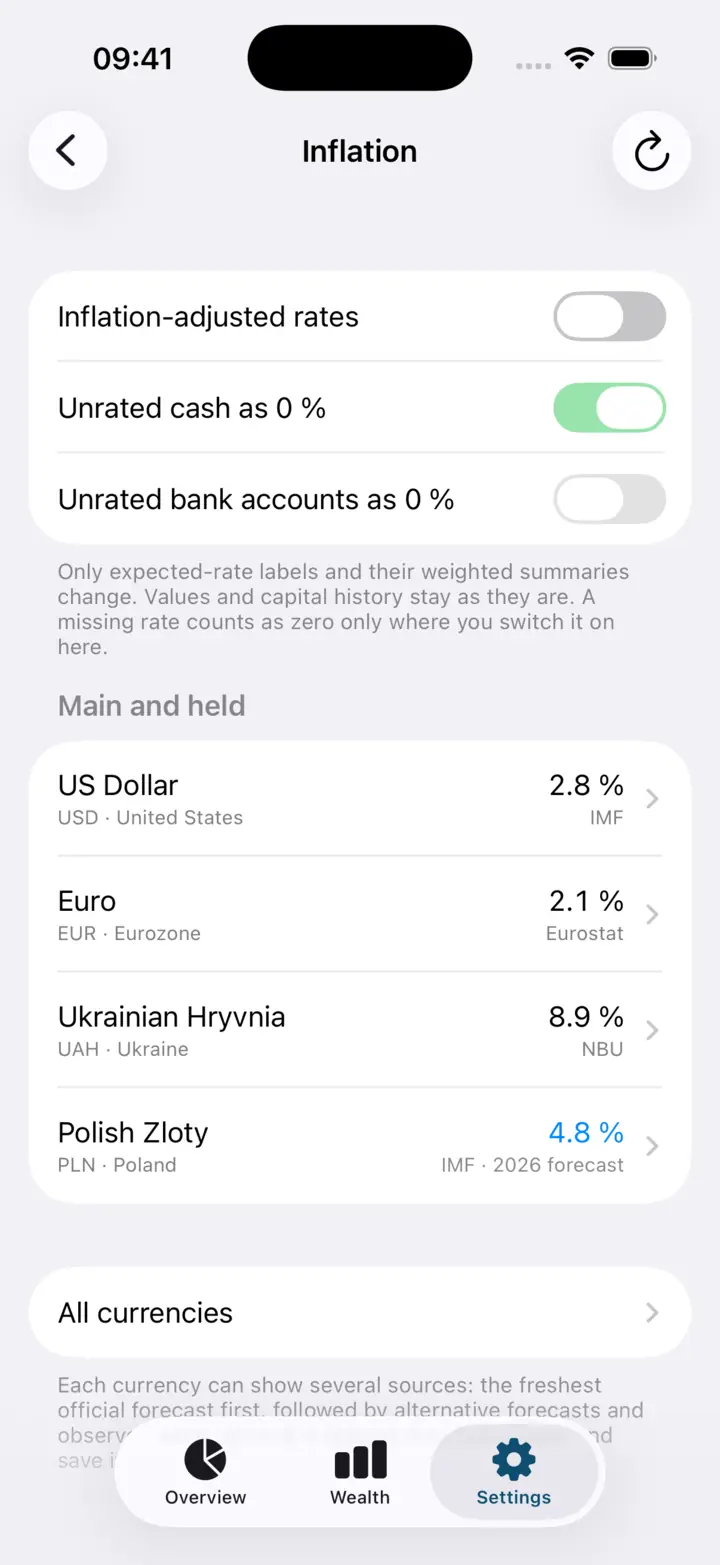
An annual rate as a note about where the money sits, with an inflation assumption set separately for each currency that changes the labels only — never your figures.
Portfolios
Independent portfolios, each with its own positions, history and base currency, and each exported on its own.
A label on a position cuts the structure across categories and currencies without touching the totals.
A closed position can be dropped from the arithmetic reversibly, or archived with a date, without erasing the past.
The official price of bank metal is offered as a hint, so a new snapshot can be worked out per gram.
The name, colour and icon of a category, a manual order for positions, and a list grouped by kind, category or currency.
A threshold of 7, 30 or 90 days marks values as stale, and a local reminder tells you when it is time to refresh them.
An optional biometric lock on the way in, and balances blanked in the app switcher.
Capventory has no server, no account and no sync. Everything you record sits in a database on the phone, under iOS file protection.
The history of your capital never moves into somebody else’s cloud or depends on their subscription.
A currency pair and a date. No amounts, no position names, no weights travel in those requests.
A backup is saved wherever you point it and can be opened without the app.
Your iPhone
The ritual
One place or one object: a bank account, cash in dollars, the flat, what is left of the mortgage.
The full value on a date you choose, not income and spending. Several positions fit on one screen.
The summary, the composition and the history between any two dates. No formulas to maintain.
Comparison
The question is not whether your capital can be counted some other way — it can. The question is what that costs every month, and what you have to give up in return.
| The usual way | What goes wrong with it | What Capventory does |
|---|---|---|
| A spreadsheet in Numbers or Google Sheets | Slow to update from a phone, easy to break a formula, rates have to be kept by hand, and the history turns into copies of sheets. | You enter one amount instead of a formula; the rate for the date is fetched and stored with its source, and the history is built from the entries themselves. |
| Your bank’s app | An exact balance for one bank and nothing else: no cash, no property, no debts held anywhere else. | One place for all of it, including what no bank knows about. |
| Account aggregators | They require an account, server-side processing and institution connections — and outside the US there is barely anything to connect to. | Works without an account and without bank connections, so it does not depend on whether your bank is supported. |
| Investment trackers | They ask for trades, purchase prices and share counts and compute returns — needless work if you are not trading. | A position is kept as a single amount, and a change is honestly called a change in value, not a profit. |
| Subscription net worth apps | Paying to look at your own numbers, with the data in someone else’s cloud. | Free, with nothing to buy inside, and the data in a file on your phone. |
Files
Every portfolio with its full history, manual rates and settings in one file. Restoring validates the whole file first and shows you a summary before anything is replaced.
Opens in Excel, Numbers and Google Sheets. Edit there and import back: the import replaces the chosen portfolio in one transaction and skips rows it cannot read, with a report.
Boundaries
The app remembers a value on a date, not the movement of money, and never reconstructs why it changed.
No bank logins, no Open Banking, no statement parsing, no reading of your messages. You type the values in and remain the source of truth.
No realised return, no cost basis, no dividends, no XIRR, no benchmark comparison. An expected rate is your annotation, not a result.
Property, vehicles, securities and crypto are valued by you: the app never pulls prices or revalues your things on your behalf.
No sign-up, no sync between devices, no web version and no Android build. Moving data means a backup file that you make.
No recommendations, no ratings, no promised returns. The app does not grow anything — it remembers.
The backup is not encrypted, and the app says so plainly as you export it: protecting that copy is a matter of where you put it.
A change in net worth is never called income: without transactions, a deposit cannot be told apart from a revaluation or a currency effect.
Questions
An iPhone app that keeps a journal of your capital: you add a position for every place worth remembering — a bank account, cash in a currency, a deposit, gold, a flat, a car, what is left of a mortgage — and save what it is worth on a chosen day. The app brings the currencies together and shows your assets, liabilities, net worth and how they changed.
You type the balances in yourself — one dated snapshot per account, asset or debt. There are no bank logins, no Open Banking, no statement parsing and no message reading. That is exactly why nothing about your money has to leave the phone.
Every position has its own currency — an account in hryvnia and an account in dollars are two positions — and the total is converted into the base currency. 63 currencies are supported with their correct minor units, the rate comes from official public sources, and rounding happens once, at display time. If no rate exists for a date, the total is marked partial rather than guessed.
No, and deliberately so. There are no transactions, no spending categories, no budgets and no income statement. A snapshot answers “how much is in this account today”, never “what was it spent on”.
Capventory is free: no subscription, no in-app purchases, no ads and no paywalled features. You do not pay to look at your own numbers.
In a database inside the app’s own container on your iPhone, under iOS file protection: while the phone is locked, the contents are encrypted. There is no account, no sign-up and no cloud sync. The only outgoing requests fetch rates, metal prices and inflation figures — they carry a currency code and a date, never your amounts.
Yes. Positions, snapshots and history are computed on the device, so an entry saves in airplane mode too. The network is only needed to fetch a rate for a date — it can be fetched later or typed in by hand, and a manual rate always wins.
Yes. A position is anything whose value you want to remember: a flat, a car, a share in a business, cash, a mortgage or a credit card. Assets and liabilities are added and subtracted separately, so net worth can be negative.
A spreadsheet needs formulas, manual rates and discipline, and its history turns into copies of sheets. Here you enter one amount, the rate for the date is fetched and stored with its source, and the history is built from the entries themselves. If you would rather not abandon the spreadsheet, Capventory exports everything to .xlsx and reads it back.
Yes: independent journals of capital, each with its own positions, history and base currency — your own and a family one, for instance. Portfolios can be created, renamed, copied and exported separately, while rates and shared settings stay common to all of them.
Metal is a position like any other, whose value you save. To save you the arithmetic, the app can fetch the official price of bank metal as a hint and work out a new snapshot from the weight; the hint is editable and saves nothing until you confirm it.
The chart is recomputed from your positions — there is no separate “total” that could drift away from them. The history changes only when you correct a past snapshot or a past rate yourself.
Not at launch. Capventory is a native iPhone app (iOS 18 or later is required): no web client, no Android build and no cloud account to sync between devices. Data moves as a backup file.
The interface is translated into English, Ukrainian and German, and the app’s language does not follow the phone — it can be chosen separately. Number and date formats follow the language you pick.
Start with a single position
Add an account, type in the balance, set today’s date. A month later you will have the one thing no banking app gives you — a history of your own.
Download for iPhoneiPhone · iOS 18 and newer · no subscription, no ads